
Is my picture good enough for Dye Sublimation Printing?
(skip to : How to search high-res pictures in Google)
To ensure that your images can be used in your shirts, please check the following:
- Image was not transferred via Facebook , Viber, or other social media apps
- Facebook will compress the image and lower its quality making it UNUSABLE for printing.
- Please use e-mail, file sharing (dropbox/google drive), or wetransfer service.
- Dimension is more than
- For Background images: 3,000 pixels / 30 inches in width or height
- For Logos: 1,000 pixels / 10 inches in width or height (as placed on the shirt)
- if logo will be placed at the back of the shirt, please use requirements for Background Image
- Skip to Best File for Logos for more info.
- This is to ensure that pictures are not pixelated when stretched on the shirt
- XLarge shirt size : 22.5 inches width, by 31 inches length
- To check:
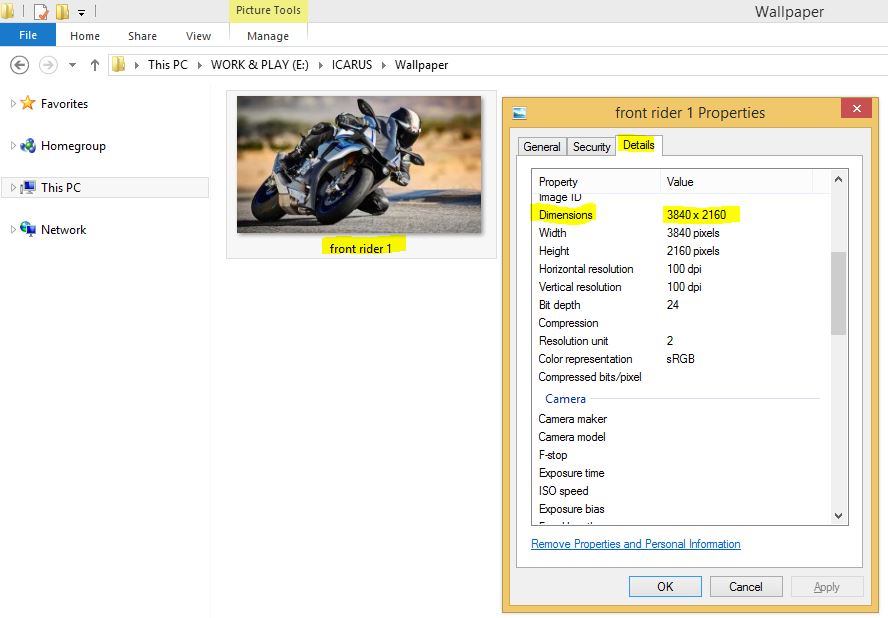
- View image on file explorer
- On the file, Right Click > Properties
- See Details tab
- Check Dimensions field
- Another step is to view the file from Adobe Photoshop to see if the image you like fits the requirement in inches.
How to search high-res pictures in Google
- Go to Google Images : https://images.google.com/
- Search for the image you want.
- Useful keywords are:
- Wallpaper
- high res
- Useful keywords are:
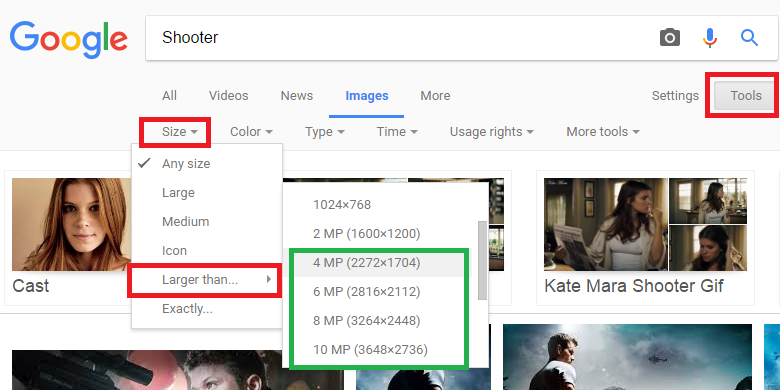
- Go to Tools
- Select Size > Larger than …
- Choose any image that is 4 MP or above.
Best files for Logos


A. Layered Vector / Path / Shapes format in Adobe Photoshop (.psd) or Illustrator (.ai, .eps)
- to check:
- Open file in Adobe Photoshop (.psd)
- Make sure that layers are present
- Each layer was drawn using SHAPE tool, represented by the square symbol on the layer

B. Large files of logo if vector is not available. we will use the image as is on the shirt.
- Canvas size:
- Width & Length : as big as you want it to be seen on the shirt
- Minimum is 10 inches width
- Resolution : 300 px
- Width & Length : as big as you want it to be seen on the shirt
- to check :
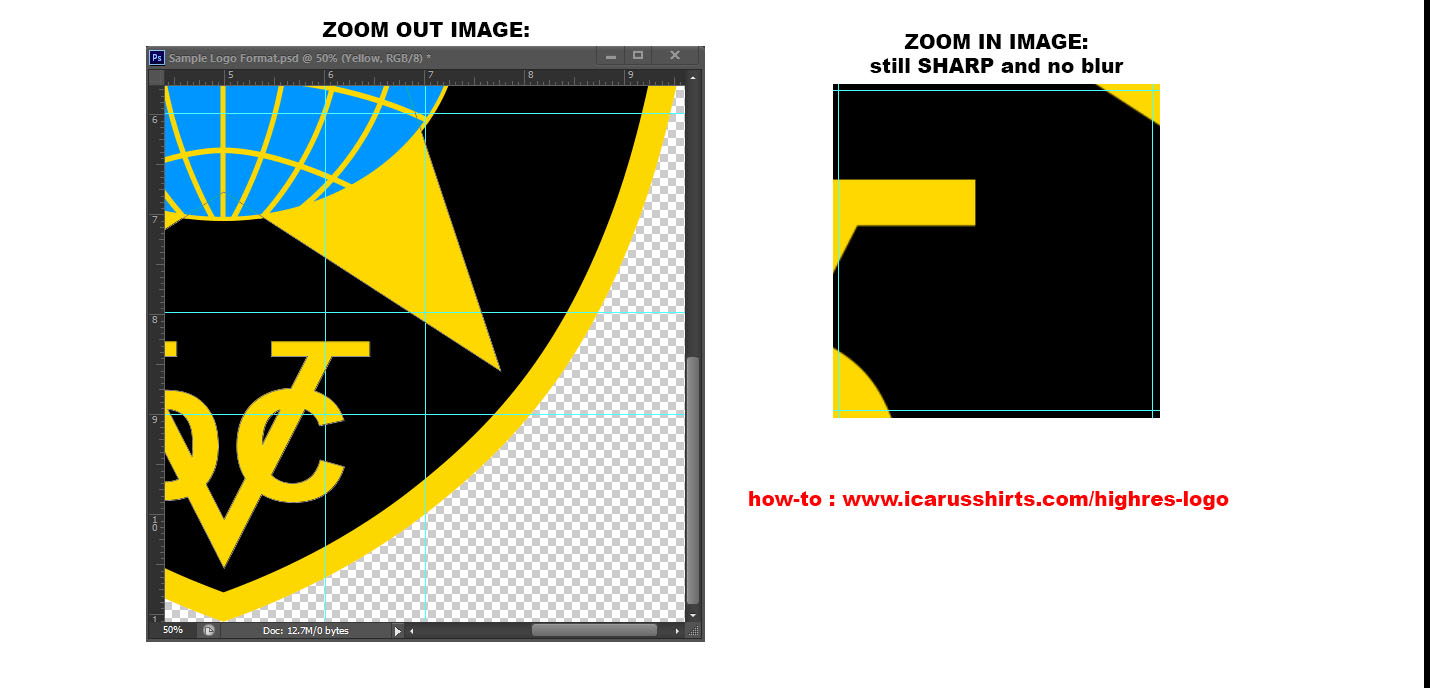
- zoom in your image to 100% (1 inch of image size = 1 inch in real life)
- Make sure that image is not blurred. that’s the actual thing sizes
Why do we need this?
- Allows images to be stretched to large sizes
- Allows recoloring of individual colors from the screen to the actual shirt.
- Regular computer screen make use of RGB colors, while our Printers make use of CMYK colors